
Our partner — AdsPower
AdsPower Browser is an anti-detect (multi-login) web browser designed for managing multiple online accounts from a single computer. It creates separate browser profiles, each with its own cookies, local storage, browser fingerprint and proxy settings, so websites treat them as different devices and users. It is the tool we recommend for running the aged Amazon accounts you buy here safely.
Get AdsPower PRO for free
Sign up through our partner link and get a 1 week free trial of AdsPower PRO — enough time to set up and warm up your first batch of accounts.
10% off AdsPower PRO
Use the code below at checkout to take 10% off any paid plan. It works on monthly and yearly billing.
Isolated profiles
Every account runs in its own browser profile with unique cookies, storage and fingerprint.
Stay undetected
Proxy support per profile so marketplaces treat each login as a separate device and user.
Built for scale
Used by e-commerce sellers, marketers and automation teams running many accounts at once.
Step by step
How to claim the trial & use the discount code
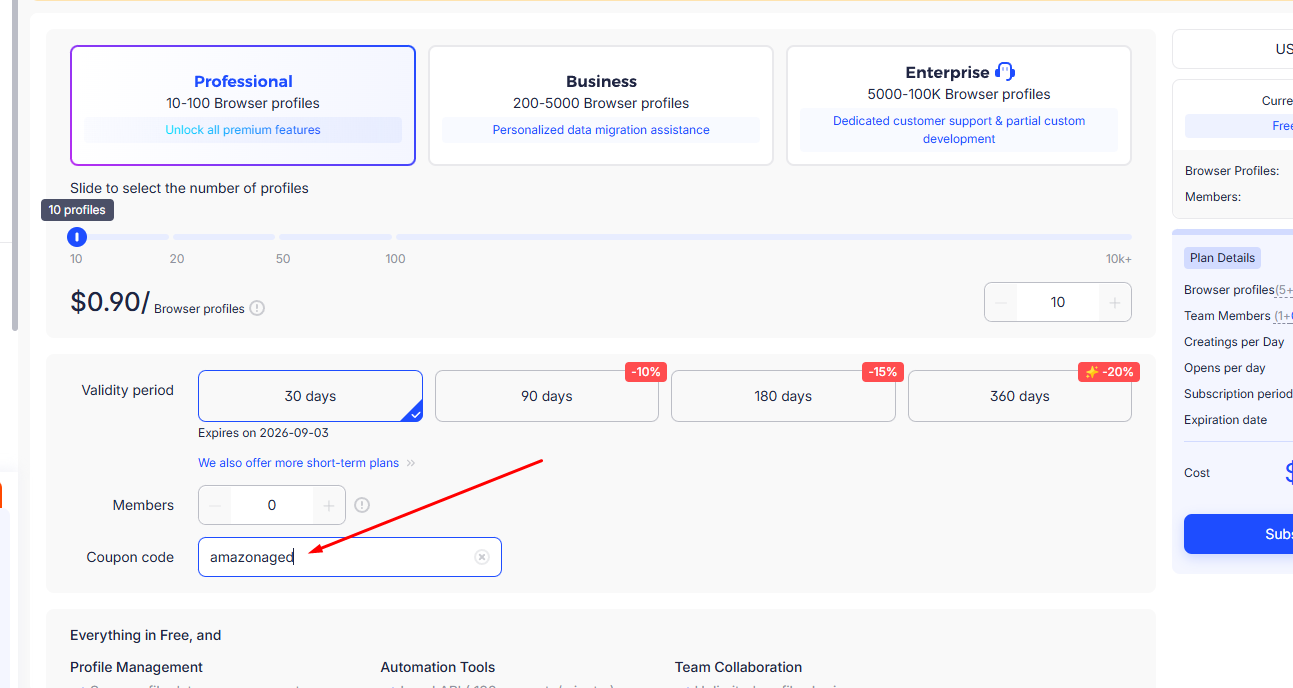
Most people miss the coupon field because it sits at the bottom of the order summary. Follow these three screens and you will get your 10% off every time.
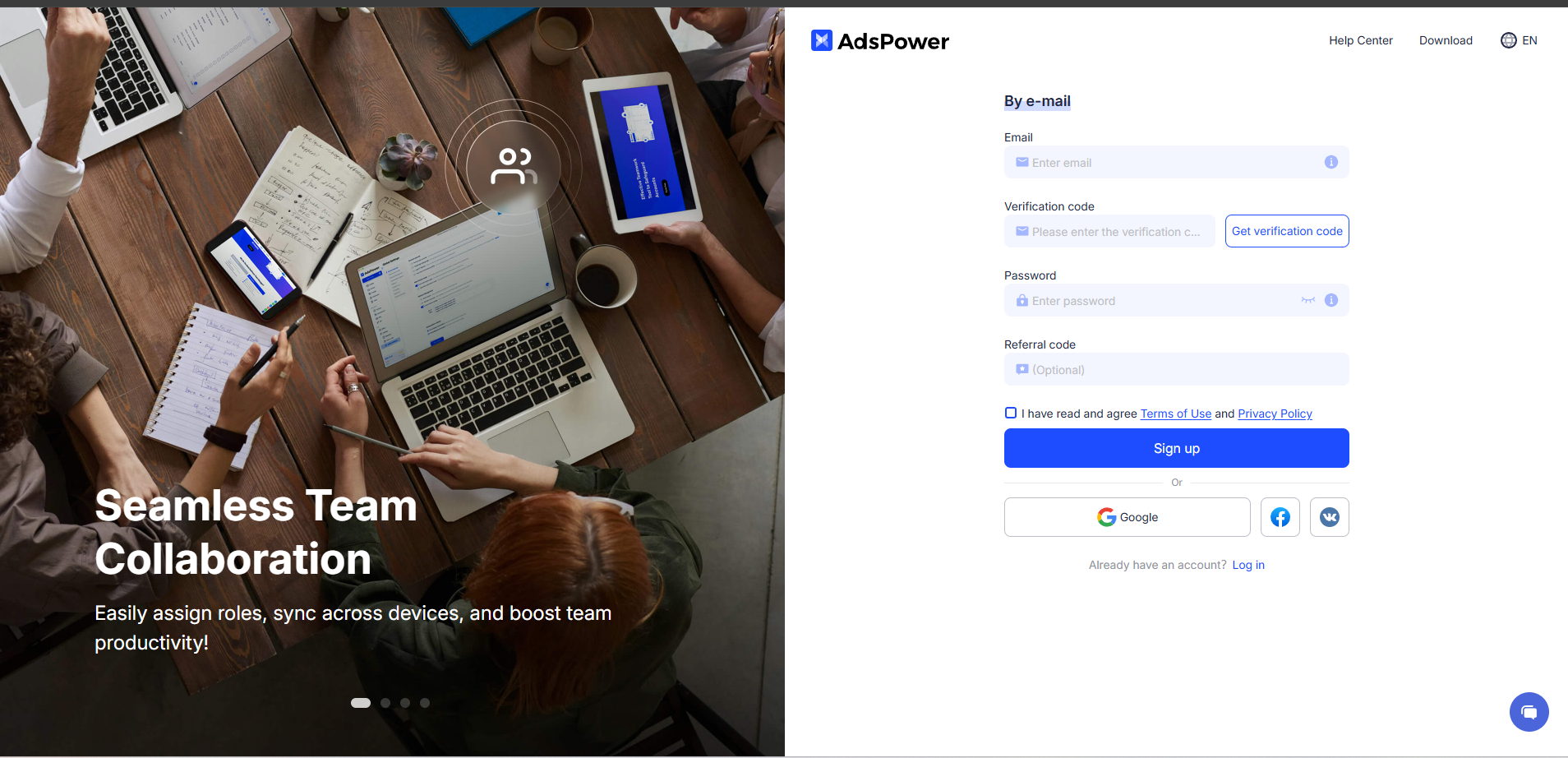
1. Create your free account
Open our partner link and sign up with your email. The 1 week free trial is applied automatically — no card required to start.
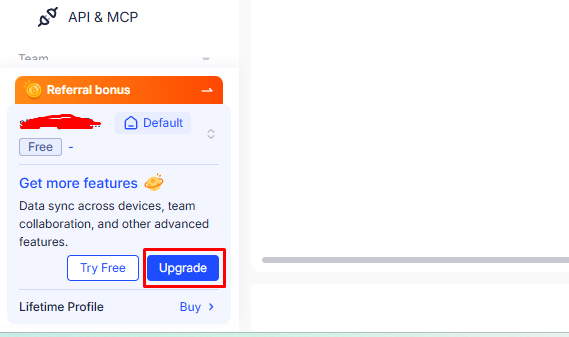
2. Open the pricing / upgrade page
Inside your dashboard go to Pricing (or Billing → Upgrade) and choose the plan you want after the trial.
3. Enter the discount code at checkout
On the order summary there is a "Coupon code" field right above the payment button. Type amazonaged and press Apply — the 10% comes off the total instantly.
Still cannot find the coupon field? Message us and we will walk you through it.